
I need to reach every tenant in one building, right now
It is 9 p.m. in January, the forecast just dropped to four degrees, and I have a triplex with pipes on an outside wall. Every tenant in that building needs the same sentence before they go to bed. Here is how that goes now, and the one time it went wrong.
The one time it went wrong: I texted two of the three units from my phone, got distracted, and the third unit was the one with the frozen supply line. The tenant was fine. The plumber bill was not. That is the whole reason I built building-wide messaging into LandlordPro: not because group texts are hard, but because remembering who you already told, at 9 p.m., is exactly the kind of thing a person gets wrong.
Three rules I run on now. One message goes to the whole building, from one screen, so nobody is skipped. I can see who has actually read it, so I know who still needs a knock on the door. And a text only ever goes to a tenant who has said yes to texts, because the law on that is not a suggestion.
How it goes, start to finish
1Pick the building, not the peoplePro plan
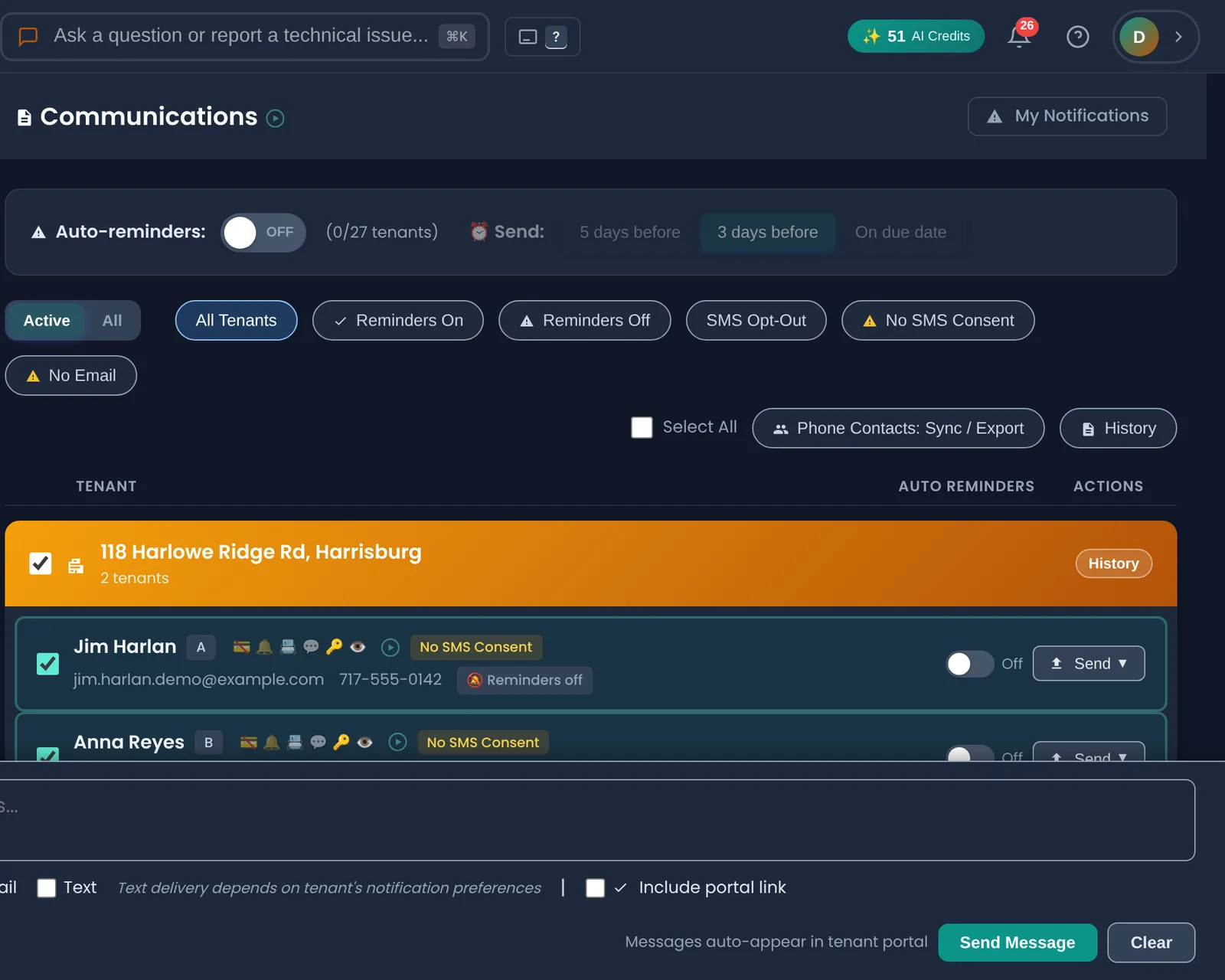
The Communications page lists tenants grouped by building. One checkbox on the building header selects everyone in it: current tenants only, the way the rent roll knows them, so the unit that turned over last month gets the new tenant and not the old one. For a four-unit building that is one click instead of four, and more to the point, it is one click instead of three and a forgotten fourth.
The bar at the bottom tells me how many people I am about to reach and how: email always, text where I am allowed to (next step), and every message lands in the tenant's portal regardless.
2Write it oncePro plan
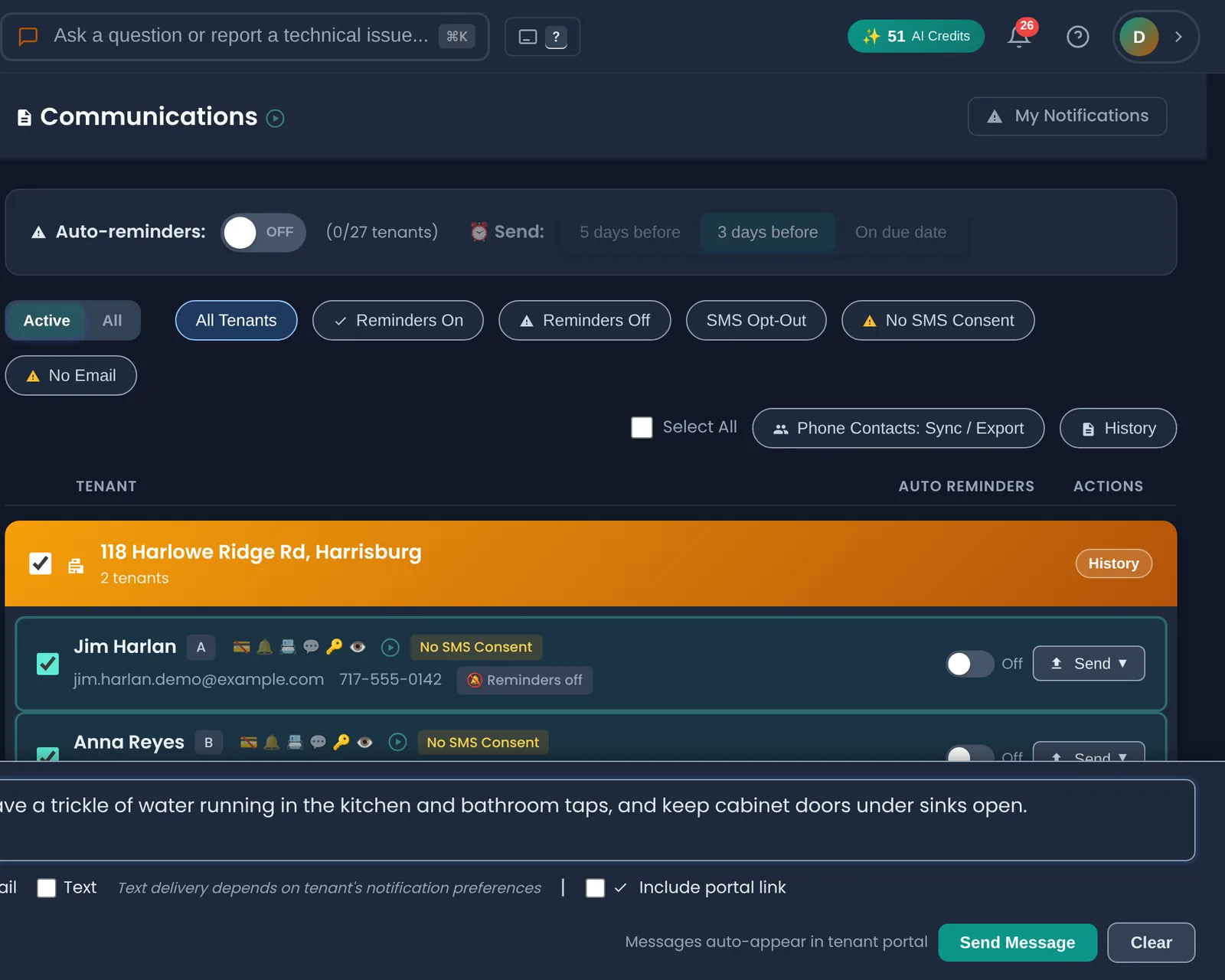
Plain words, specific instructions, nothing a tired person can misread: leave a trickle running in the kitchen and bathroom taps, open the cabinet doors under the sinks. The same message, verbatim, to every unit. If someone later says they were never told, there is a timestamped copy of exactly what I said, sent to exactly whom.
I keep a few of these ready to go: cold snap, water shutoff, plow coming, exterminator Tuesday. The water-shutoff one has saved me more phone calls than anything else in the app.
3See who has read itPro plan
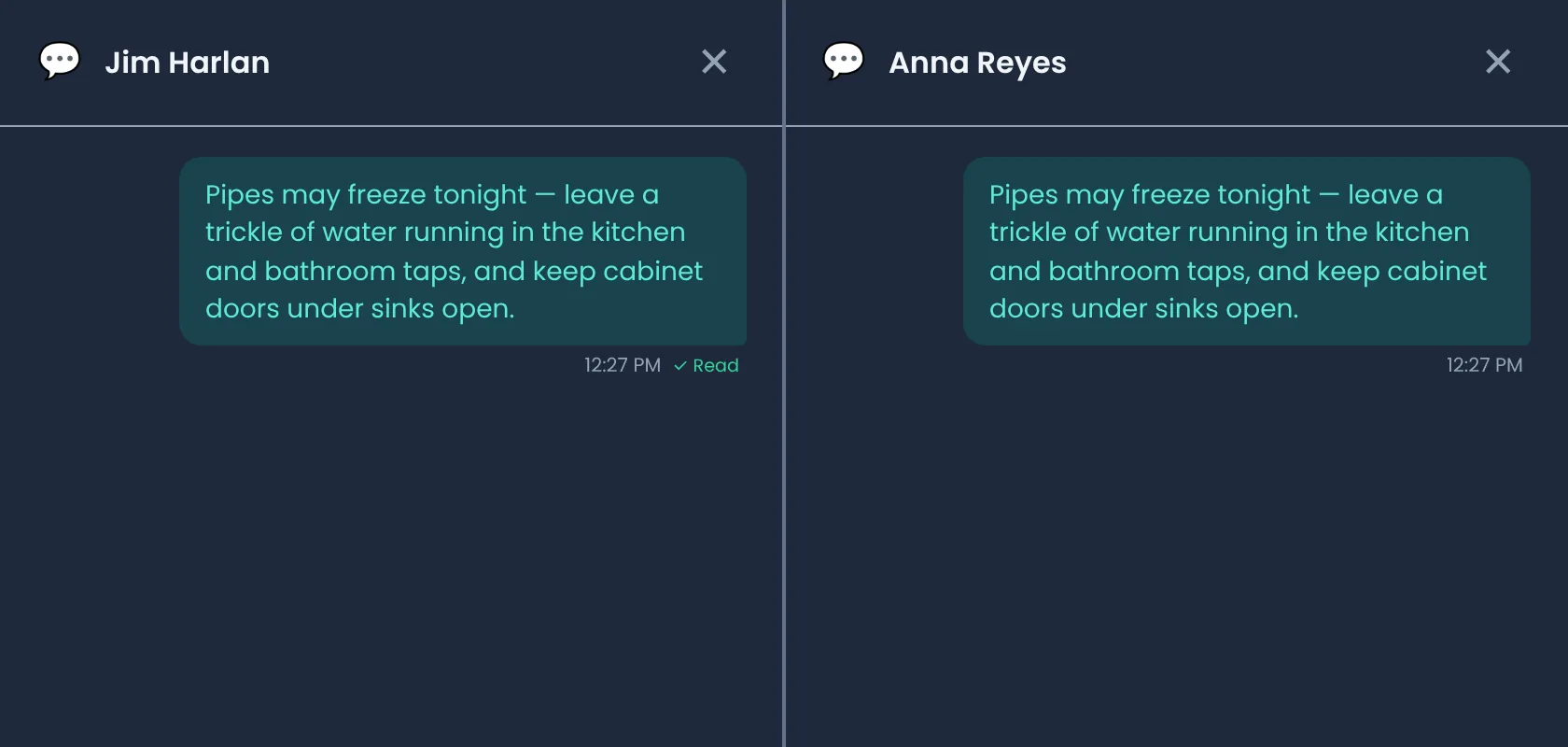
This is the part that replaced the 9 p.m. anxiety. Each tenant's thread shows the message with a Read mark once they have opened it in their portal. Jim read it at 12:27. Anna has not. So Anna gets a phone call, and only Anna. I am not calling four people to ask whether they saw a text.
It is also the record. If a frozen pipe ever turns into an argument about who was warned, the thread shows the message, the time it went out, and the time it was read.
4Texting only with a yes on file
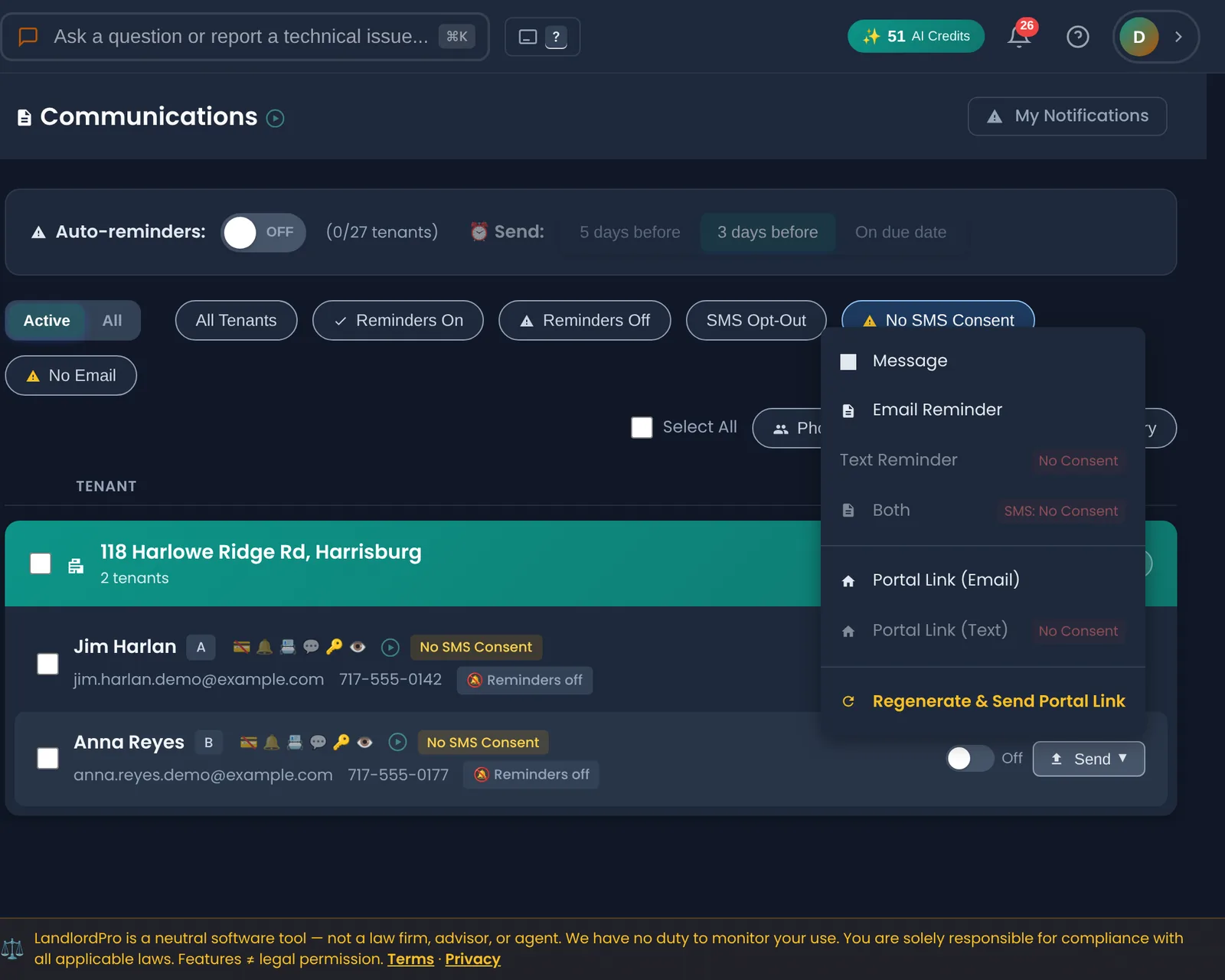
Texting a tenant who never agreed to be texted is a Telephone Consumer Protection Act problem, and the fines are per message. So the app keeps a consent flag on every tenant and simply will not let me text someone without it: the Text option is greyed out with a reason, and the message goes by email and portal instead. Consent comes from the tenant, at lease signing or from a switch in their own portal, never from me ticking a box on their behalf.
On my own buildings almost everyone opts in once they see that texts are only for things like this. The ones who do not still get the email and the portal copy, and I still see whether they read it.
5What the tenant sees
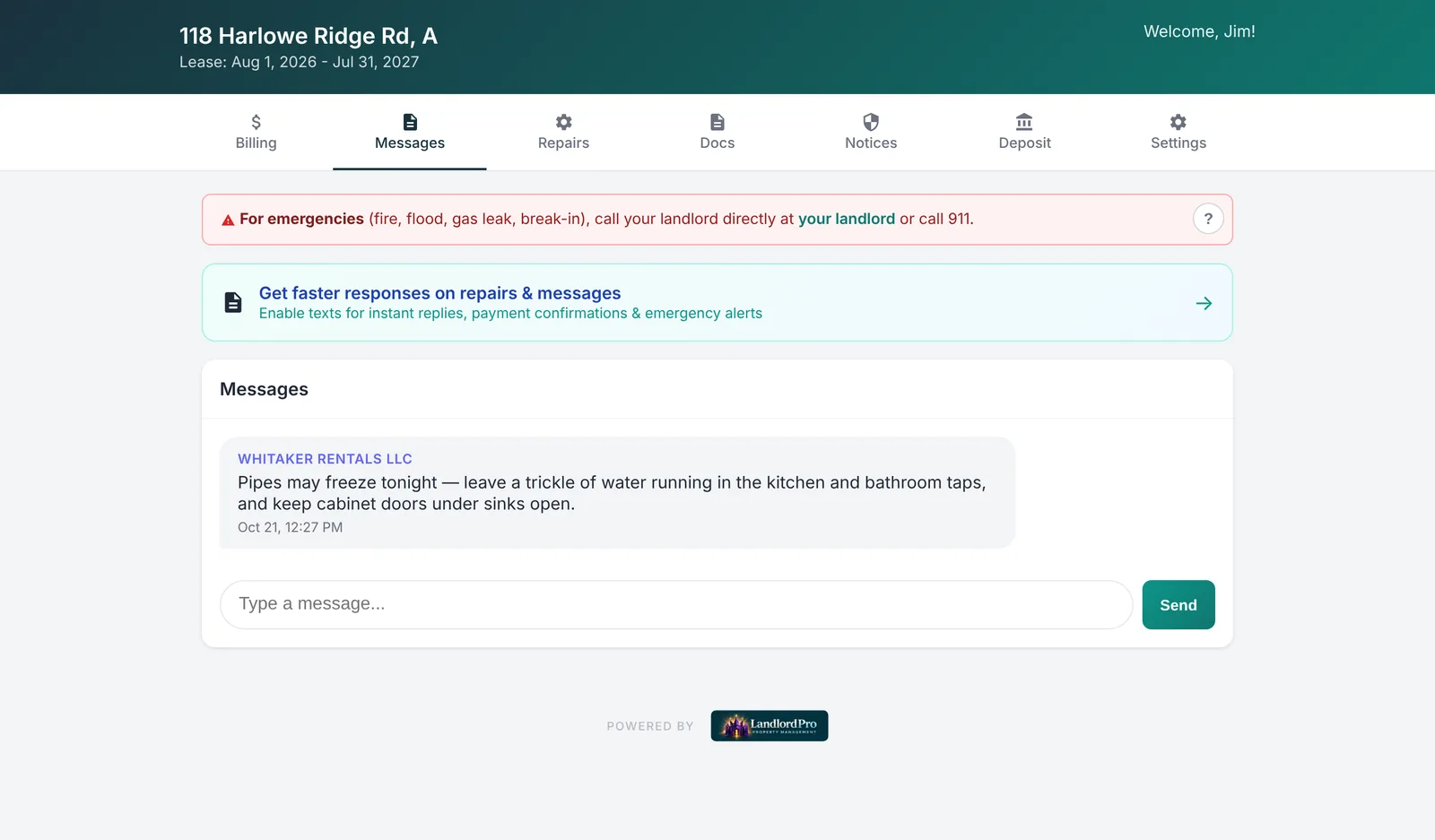
Here is the other side of the same message. The tenant's portal shows it under my business name with the time, and they can reply right there, which is where most of the "ok, done" answers come back. Same thread on my side, so the conversation about the cold snap lives with the cold snap and not in a text history I cannot find in March.
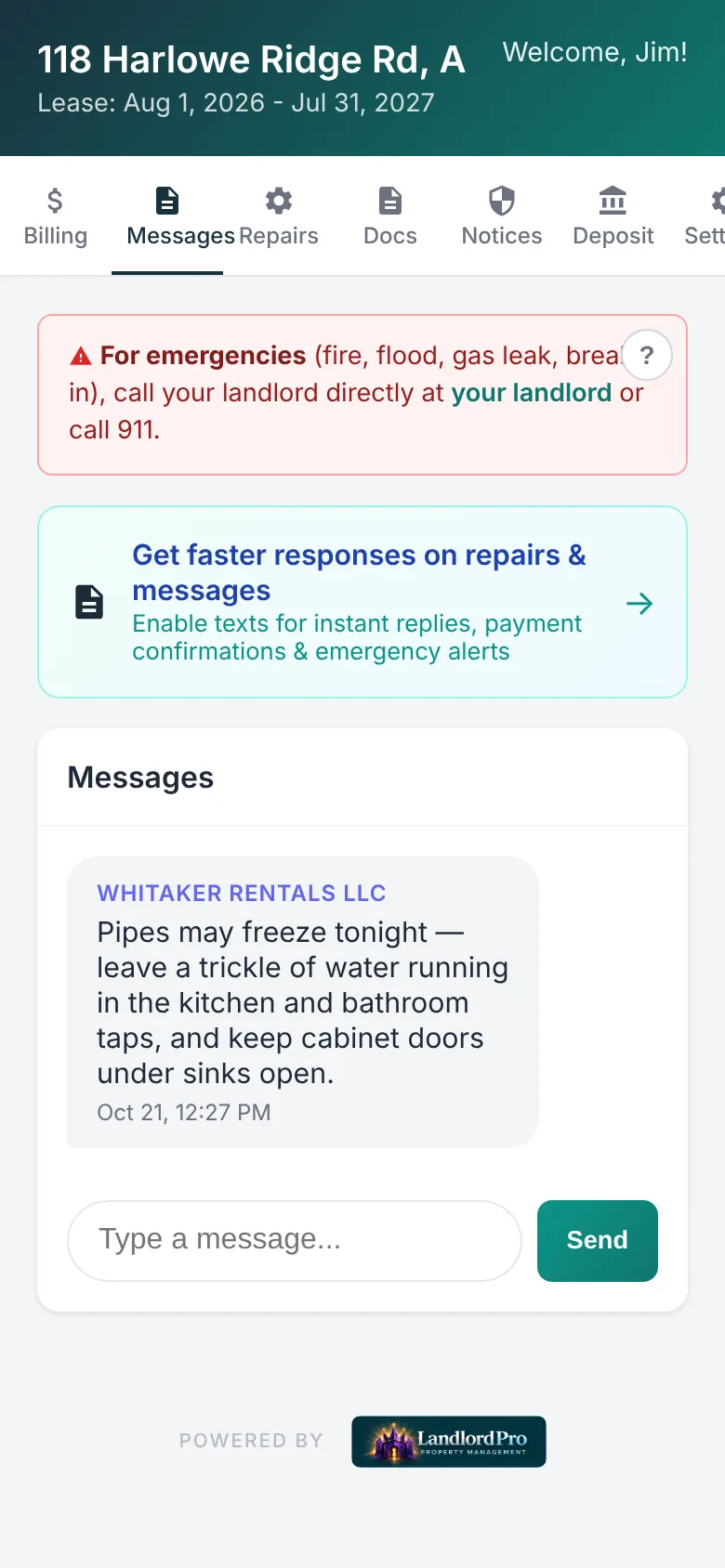
On a phone, which is where every tenant actually reads it, it is the same screen.
Why this is worth a page
Nobody buys software to send a group text. But a building is not a group text. It is a set of people who change, who read things at different hours, some of whom have said yes to texts and some of whom have not, and all of whom will remember whether you told them. The screen above is what it takes to get that right every time without thinking about it.
The tenant portal and messaging are on the Pro plan. Email rent reminders are on every plan including free.
Questions landlords ask about this
Can a landlord text all tenants at once?
Yes, as long as every tenant on the list has agreed to receive texts from you. The TCPA requires that consent, and the fines are per message. LandlordPro tracks consent per tenant and only offers the text option for tenants who have opted in; everyone else gets the message by email and in their portal.
How do I notify all tenants in a building about a water shutoff?
Write one message with the date, the hours and what to do (fill a pot, do not run the dishwasher), send it to the whole building from one screen, then check who has read it a few hours before the shutoff and call the ones who have not. That is exactly the flow on this page.
How do I know a tenant actually saw my message?
In LandlordPro each tenant's thread shows a Read mark once they open the message in their portal, with the time. Email and text delivery are logged separately in the communications history. A read receipt is also a useful record if a dispute comes up later.
What is the best tenant communication app for a small landlord?
The one that keeps every message in one thread per tenant, logs delivery and reads, and handles text consent for you, so you are not reconstructing conversations from a phone. For a landlord with a handful of buildings that is a built-in messaging screen like the one shown here rather than a separate chat app.
Does the tenant need to install anything?
No. The tenant portal is a web page they open from a link, on any phone or computer. Messages, rent, repairs and documents are all in it.
Run your rentals the way this page shows
LandlordPro is free for up to 4 units — the rent roll, reminders, notices and the records bundle included. No card to start.
Start free